 OnceBefore
08 · Manual
Connect scenes and choices
Arrange scenes, name each possible action, and make sure every route can return or finish.
Steps
- In Arrange scenes, move scenes earlier or later. Reordering does not silently change existing connections.
- In Add choices & accessible media, give each choice a short label and neutral feedback.
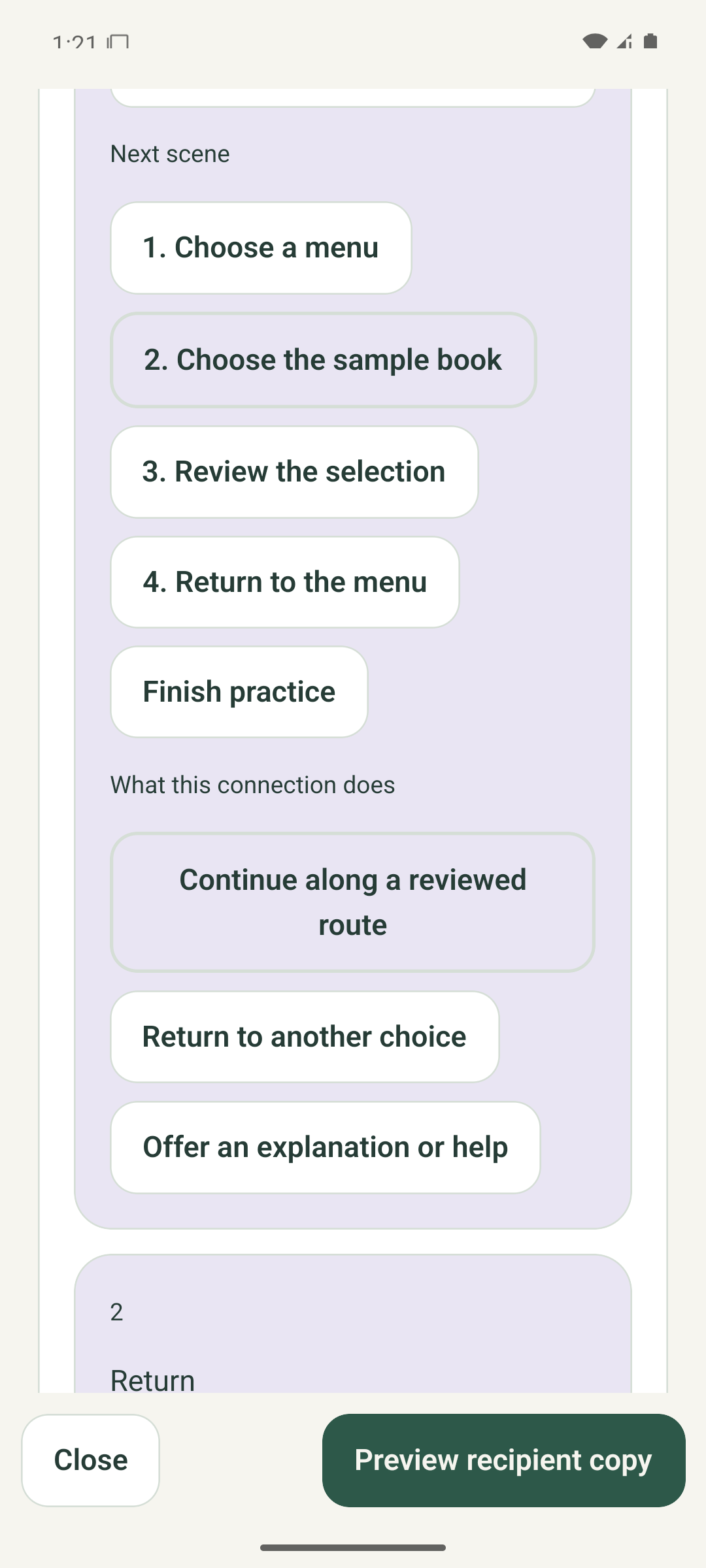
- Choose the Next scene for each choice, or Finish practice only when the route should end.
- Add a return choice where someone may need to try another route.
- In Connect & review, check every destination, explanation, return path, ending, and starting scene.
What to expect
Recipient Preview can traverse each prepared path without a dead end, an invented consequence, or an inaccessible unlabeled choice. The reviewed fictional example exercised all six button and image-region choice routes.
If it does not work
- If validation reports a missing destination, open that choice and select a valid scene or ending.
- Use Undo after an unintended edit. Removing a scene can affect connections, so review them again.
- Keep the complete project within 79 editable scenes.
Keep in mind
A connection is a rehearsal route, not a promise about what a real service will do.