HomiSoft
PlainQuote

ONE JOB. ONE MONEY TRUTH.

Know what was agreed. Know what comes next.

PlainQuote keeps the quote, the agreement, the invoice, and every payment connected—so independent service businesses can see exactly what is billed, collected, and still theirs to collect.

iOS release is under review or testing · Available on Android

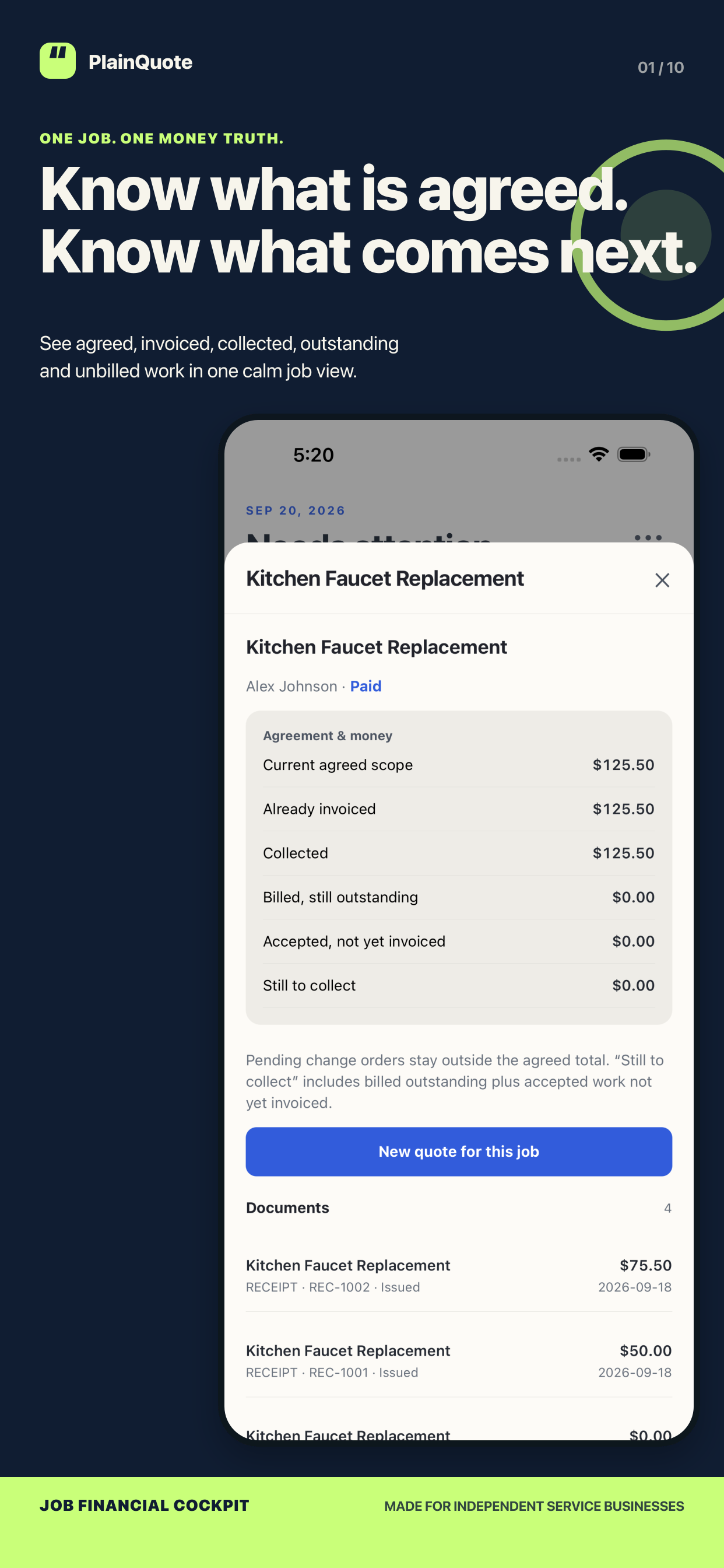
PlainQuote Job detail showing the Agreement and money ledger with fictional test data
Verified native PlainQuote iPhone capture with fictional test data. The interface shown is an iPhone example. Android layout and system controls can differ.

JOB LEDGER

One job view

Agreed scopeInvoiced and collectedStill to collect
REVISIONS

Keep the record clear

Current draftLast sent versionCurrent agreement

BILLING

Bill what is ready

Deposit and progressRemaining balanceManual payment records

YOUR RECORDS

Stay in control

Local workspaceCSV exportChecksum-verified backup

JOB FINANCIAL COCKPIT

See the agreement and the money together.

The Job detail keeps current agreed scope, already invoiced, collected, billed outstanding, accepted but not yet invoiced, and still to collect in the same ledger.

  • Pending change orders stay outside the agreed total until you record them as accepted.
  • A job becomes Paid only after accepted work is billed and the billed amount is collected.
Job financial cockpit in PlainQuote with fictional test data
Verified native PlainQuote iPhone capture with fictional test data.

DRAFT, SENT, AGREED

Do not confuse a change with the agreement.

PlainQuote keeps the current draft, last sent revision, and accepted revision visibly separate. A saved revision is an immutable snapshot; restoring one creates a new draft instead of rewriting history.
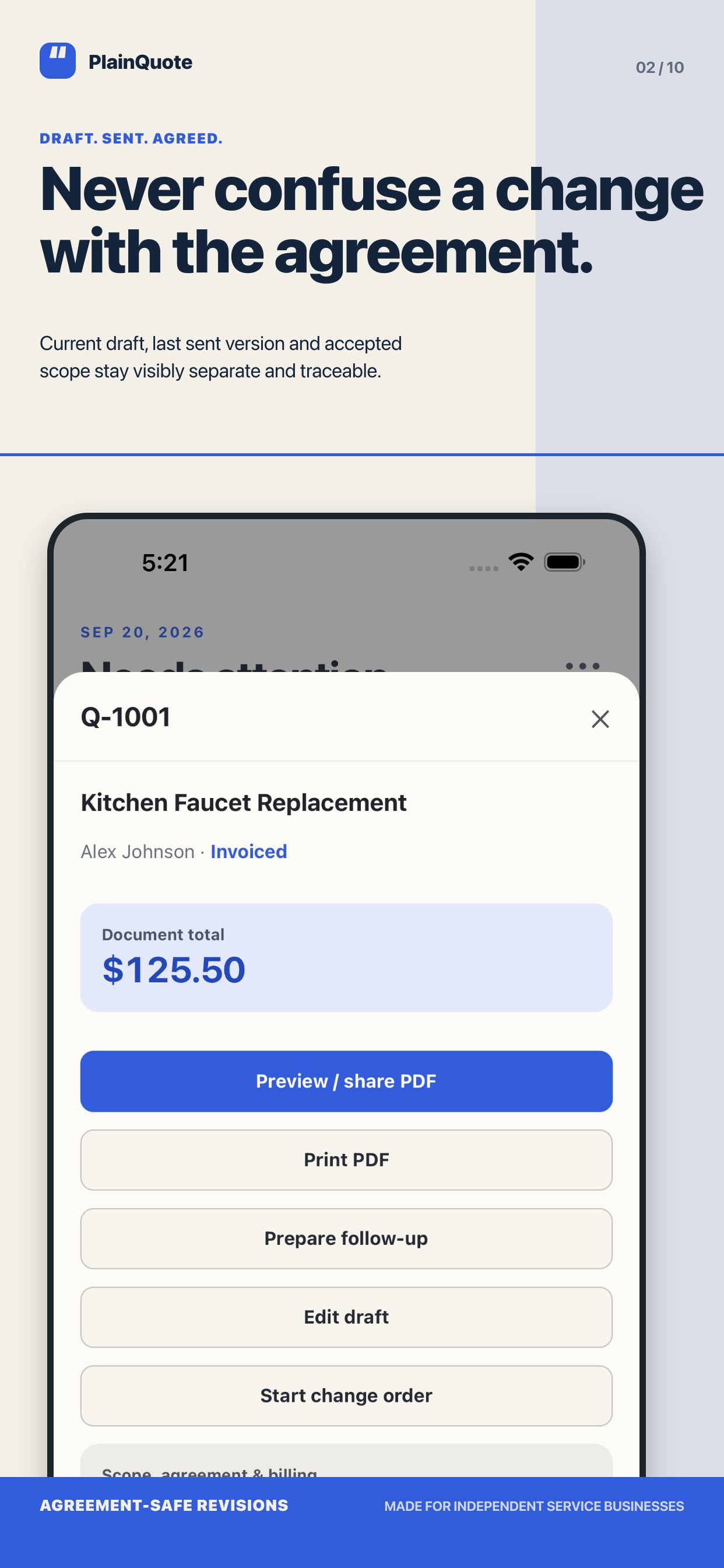
  • Compare what changed before issuing a new document.
  • The accepted version remains the source for billing even if a newer draft exists.
PlainQuote quote detail showing revision-aware controls with fictional test data
Verified native PlainQuote iPhone capture with fictional test data.

CHANGE ORDERS

Keep the old promise. Price the new work.

Start a change order without overwriting the base quote. Additions, removals, and price differences remain traceable alongside the original work.
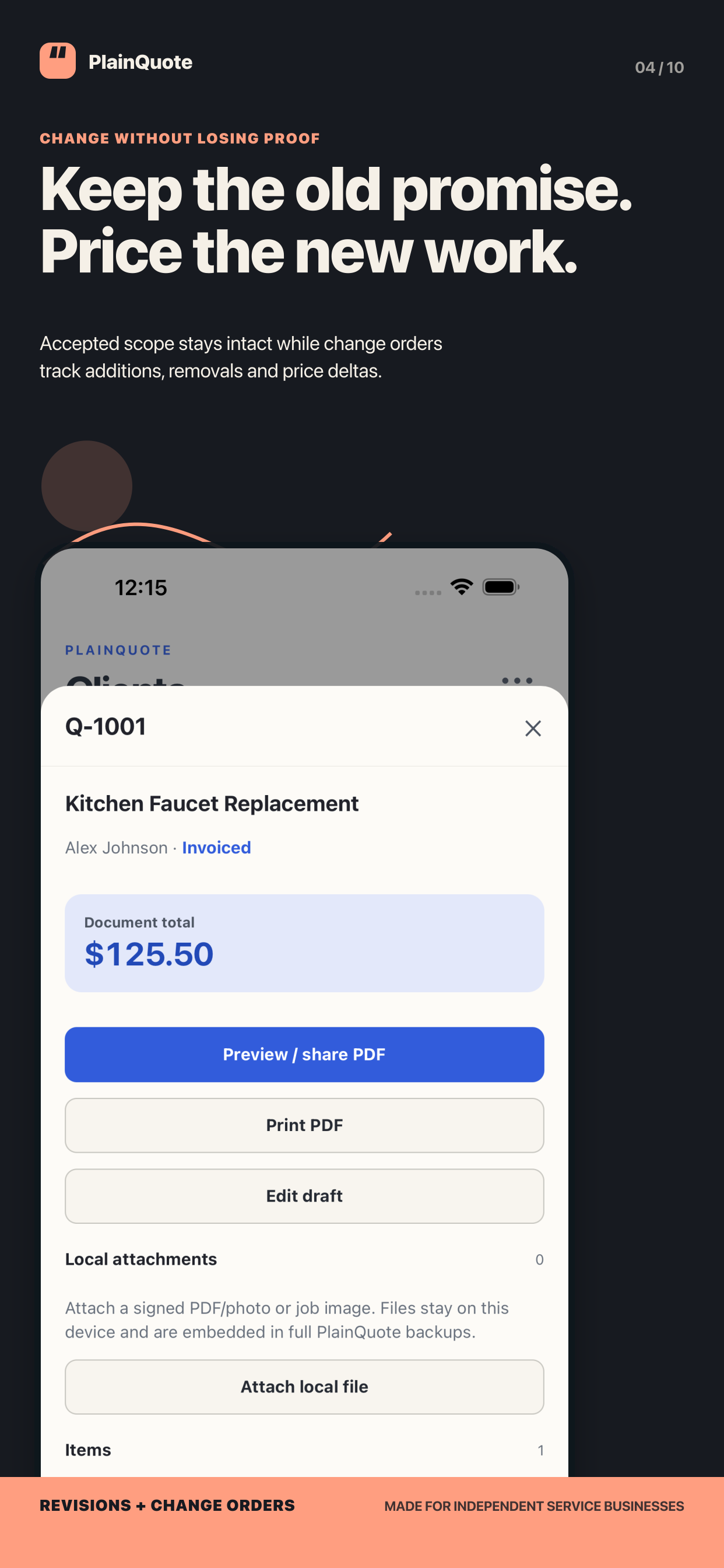
  • Only locally recorded accepted change work joins the agreed scope and billing eligibility.
  • Pending work stays visible without inflating the amount to collect.
PlainQuote change order and local attachments screen with fictional test data
Verified native PlainQuote iPhone capture with fictional test data.

BILL WHAT IS READY

Avoid double billing without missing agreed work.

Create full, deposit, progress, remaining-balance, or custom invoices from accepted scope. Prior invoice allocations are counted before another invoice is created.
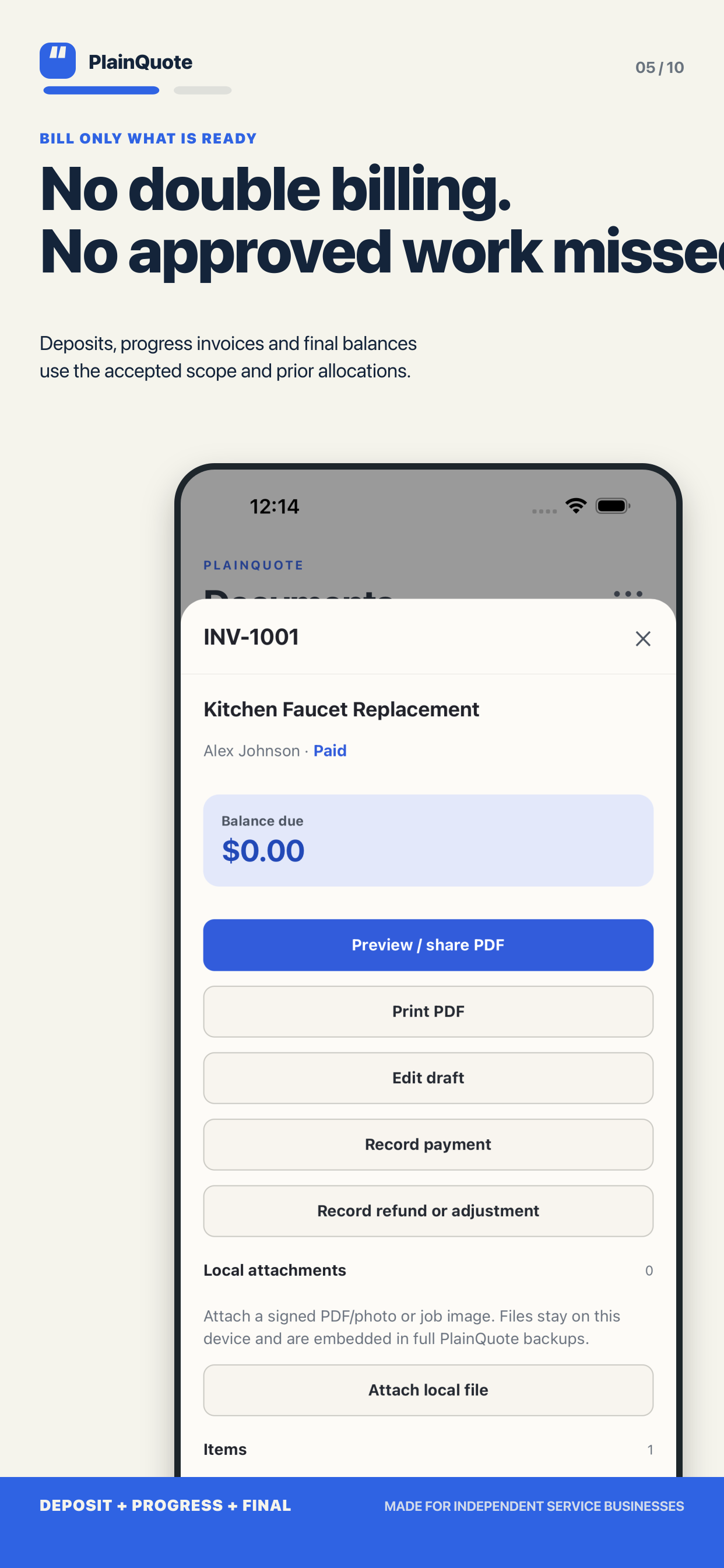
  • Record partial payments, refunds, adjustments, and receipts as local records.
  • Card, ACH, and other payment labels are only merchant-entered records; PlainQuote does not process customer payments.
PlainQuote invoice detail with manual payment record actions and fictional test data
Verified native PlainQuote iPhone capture with fictional test data.

CUSTOMER PDF

Share a document that explains the work clearly.

Build customer-facing quotes and invoices with a visible revision, scope, optional work, and amount due. Generate Letter or A4 PDFs to preview, share, print, or save through your device.
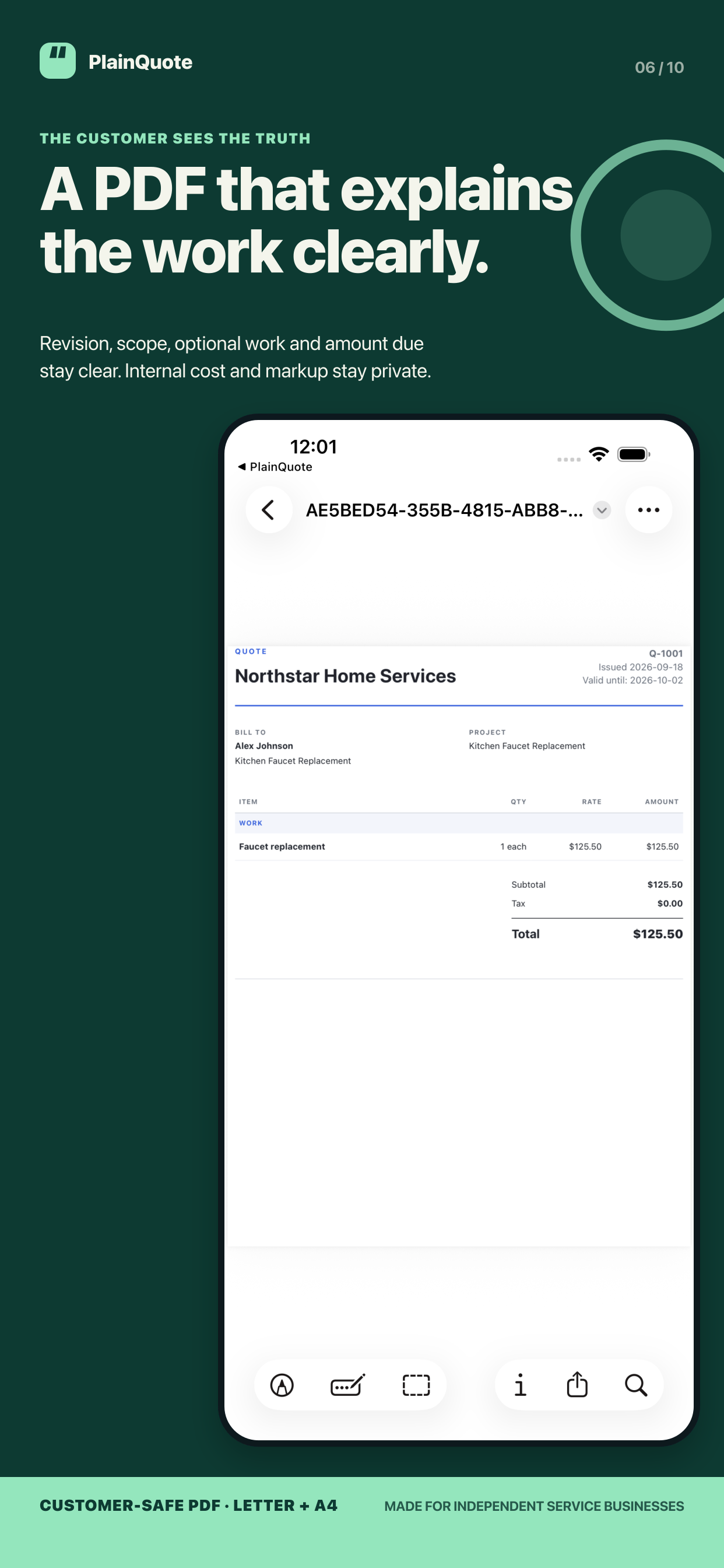
  • Internal cost and markup remain out of the customer PDF.
  • Sharing freezes the selected document snapshot; it does not create a hosted customer link or read receipt.
PlainQuote customer PDF preview with fictional test data
Verified native PlainQuote iPhone capture with fictional test data.

NEEDS ATTENTION

Prepare a calm follow-up. Send it yourself.

Needs Attention brings overdue, due, expiring, and planned follow-up work into view. It can prepare an editable message with job and balance context.
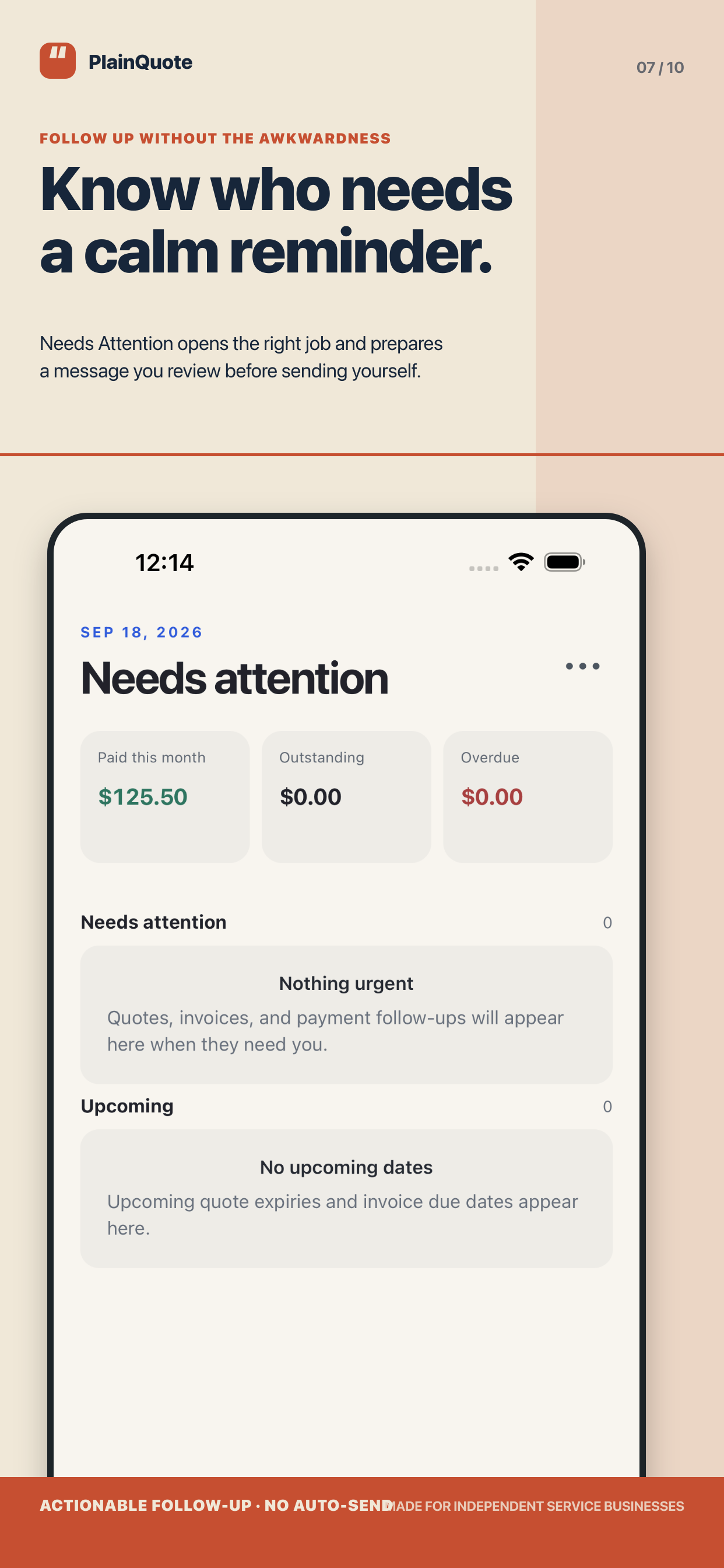
  • You review and send through your own email, SMS, or share app.
  • PlainQuote does not auto-send messages, and a canceled share is never recorded as sent.
PlainQuote Needs Attention screen with fictional test data
Verified native PlainQuote iPhone capture with fictional test data.

BACKUP AND EXPORT

Keep your records portable.

Export all-date CSV data and make a local .plainquote backup. The backup is streamed and checksum-verified so records and local attachments can be checked before restoration.
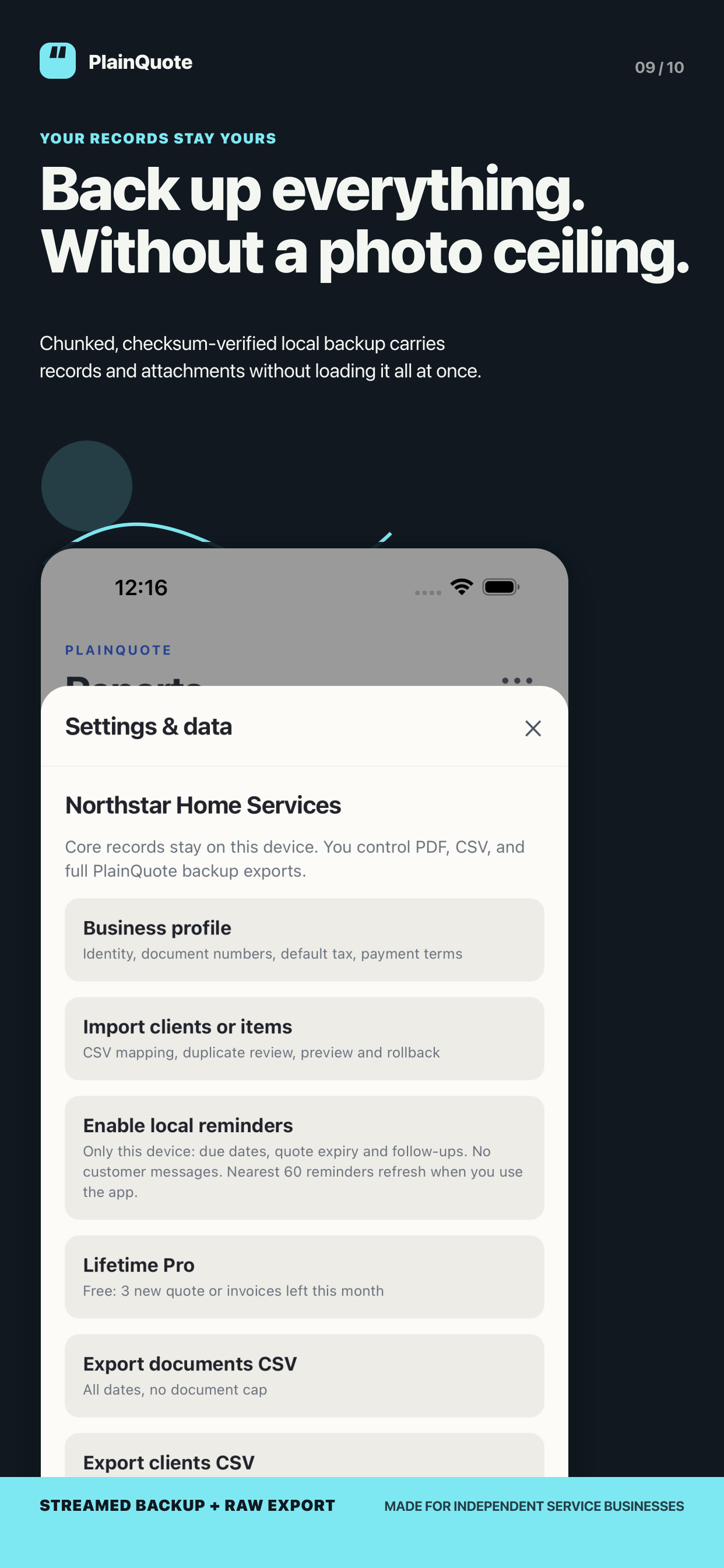
  • The workspace stays on your device unless you choose an operating-system share, print, save, or restore action.
  • Existing documents, PDFs, receipts, CSV exports, and backups remain accessible without Pro.
PlainQuote Settings and data screen showing local export options with fictional test data
Verified native PlainQuote iPhone capture with fictional test data.

FREE AND LIFETIME PRO

Start free. Unlock once when you need more.

Free includes unlimited clients and saved items, plus five newly created quotes or invoices per local calendar month. Lifetime Pro is an optional one-time purchase for unlimited new documents and local attachments.
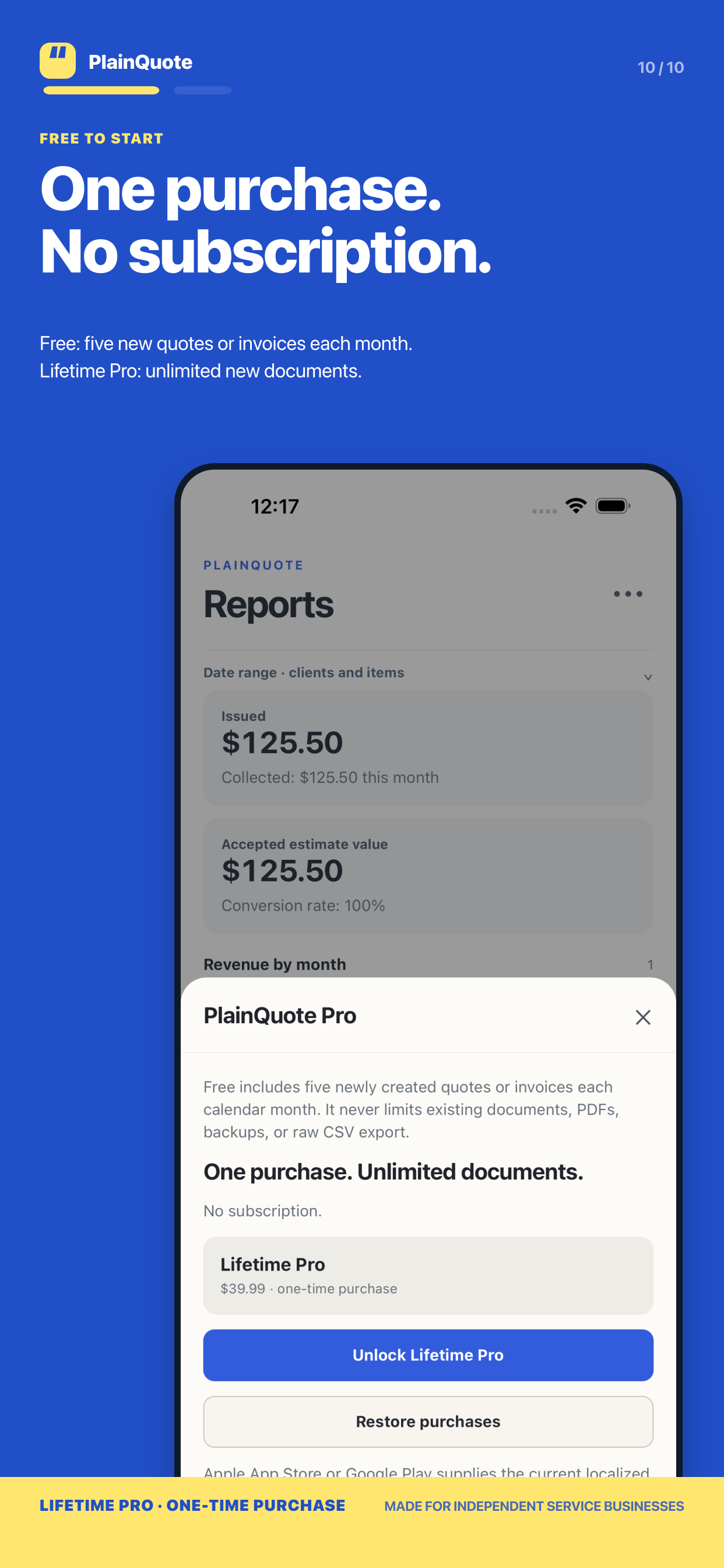
  • There is no monthly or annual subscription.
  • The storefront supplies the current localized price; existing records are never locked behind Pro.
PlainQuote Lifetime Pro purchase sheet with fictional test data
Verified native PlainQuote iPhone capture with fictional test data. Storefront price shown in the app is localized by the store.

PRICING

A free starting point, then one optional purchase.

PlainQuote does not have a recurring subscription. The store provides the current localized price for Lifetime Pro.

Free

Start with the core record

  • Unlimited clients and saved items
  • Five newly created quotes or invoices each local calendar month
  • Existing documents, PDFs, receipts, CSV export, and backups stay accessible

Lifetime Pro

One-time purchase

  • Unlimited newly created quotes and invoices
  • Local document attachments
  • No monthly or annual subscription

PlainQuote does not process payments or offer tax filing, legal advice, hosted customer approval, cloud sync, or read receipts.

FAQ

Questions before you start

Does PlainQuote collect customer payments?

No. Payments, refunds, adjustments, and payment-method labels are merchant-entered local records. PlainQuote does not process card, ACH, or online customer payments.

Is Accepted a hosted customer approval or e-signature?

No. Accepted is a local record you enter or confirm. PlainQuote does not provide a hosted approval flow or legally verified electronic signature.

What happens when I share a PDF or follow-up message?

PlainQuote prepares the selected document or message on your device. You review it and use your own operating-system share, email, SMS, print, or save destination. A canceled share is not recorded as sent.

Can I use it without an account or a cloud connection?

Yes. Core records live in the local workspace on your device. You can export CSV data and create a local checksum-verified backup when you choose.

Will Pro lock documents I already made?

No. Existing documents, PDFs, receipts, CSV exports, and backups remain accessible. Pro changes the limit for newly created quotes and invoices and enables local attachments.

Is PlainQuote available in the stores now?

PlainQuote is available on Google Play. iOS availability is listed separately when a public App Store release is verified.

PRIVACY

Your job records stay in your local workspace.

Read how PlainQuote handles local data, exports, backups, purchase entitlement, and the system sharing actions you choose.