1. Record
Capture or enter
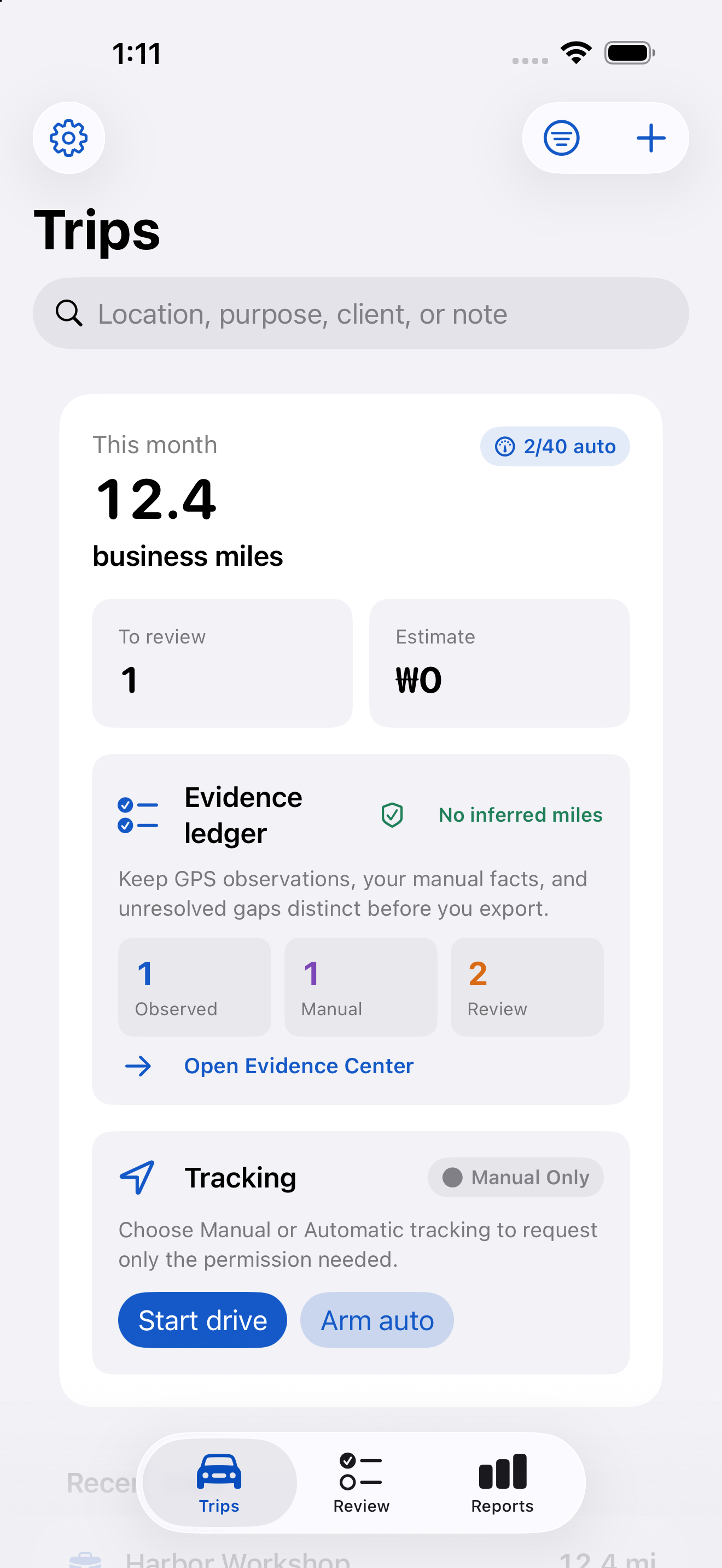
Automatic capture, manual GPS, or known distance and odometer.
 MileDone
Mileage ledger
Review captured journeys, classify business, personal and commute miles, then export a clear mileage ledger with the source of each record still visible.
iOS release is under review or testing · Available on Android
1. Record
2. Review
3. Report
Record source
Review what counts
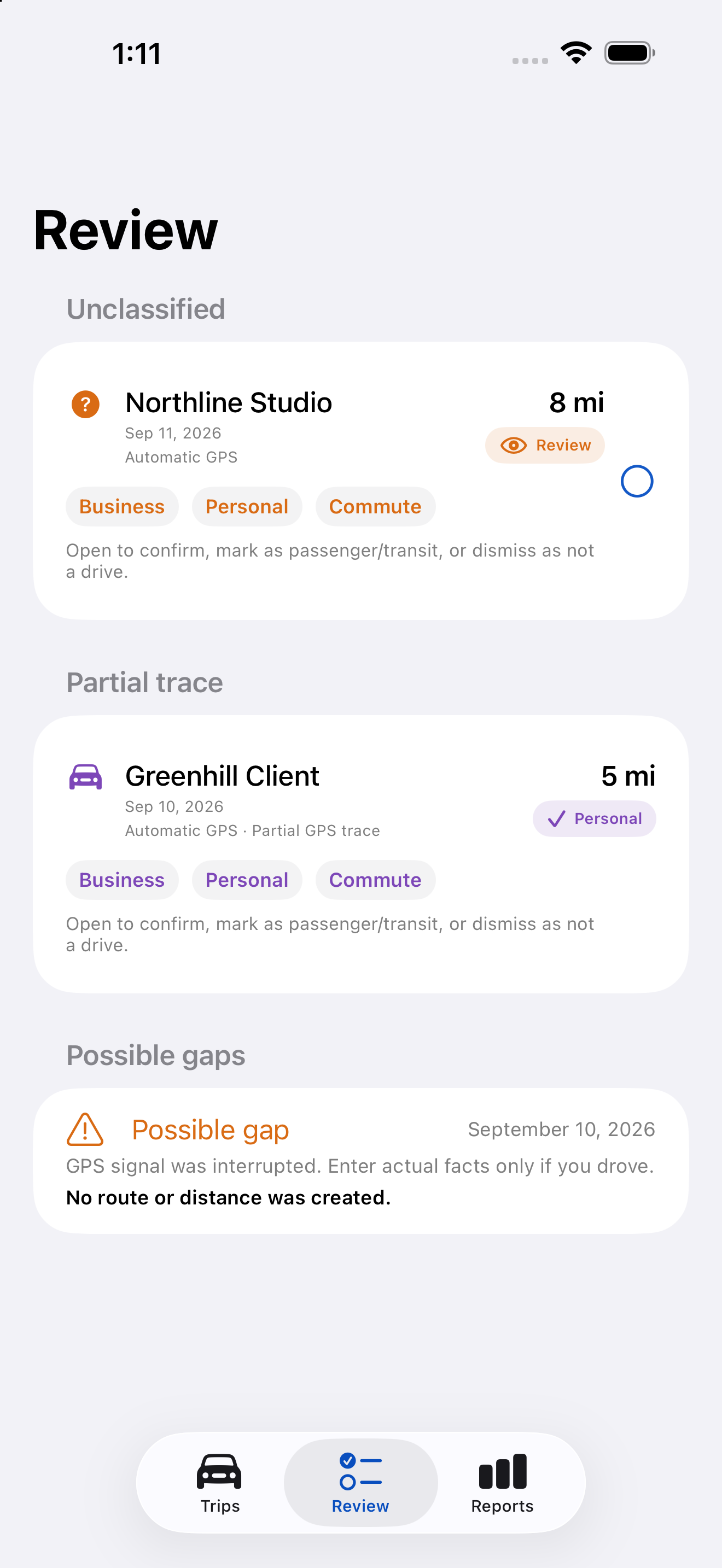
Open Review to classify records as Business, Personal, Commute, Passenger / Transit, or Not a drive. Automatic capture makes a candidate for review; it does not prove that you drove.
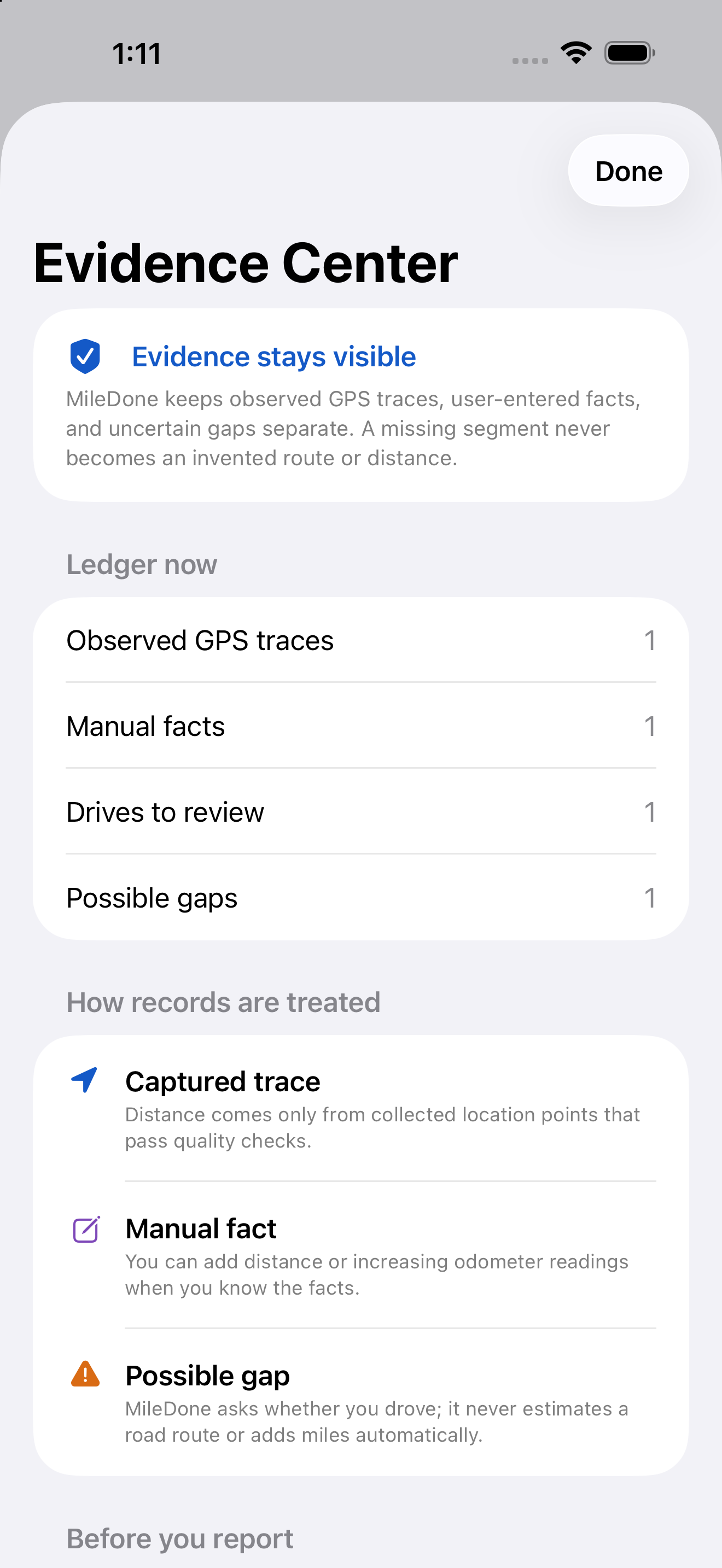
Evidence Center
MileDone keeps observed GPS, facts you enter and unresolved gaps distinct. That makes it easier to see what the ledger knows and what still needs your review.
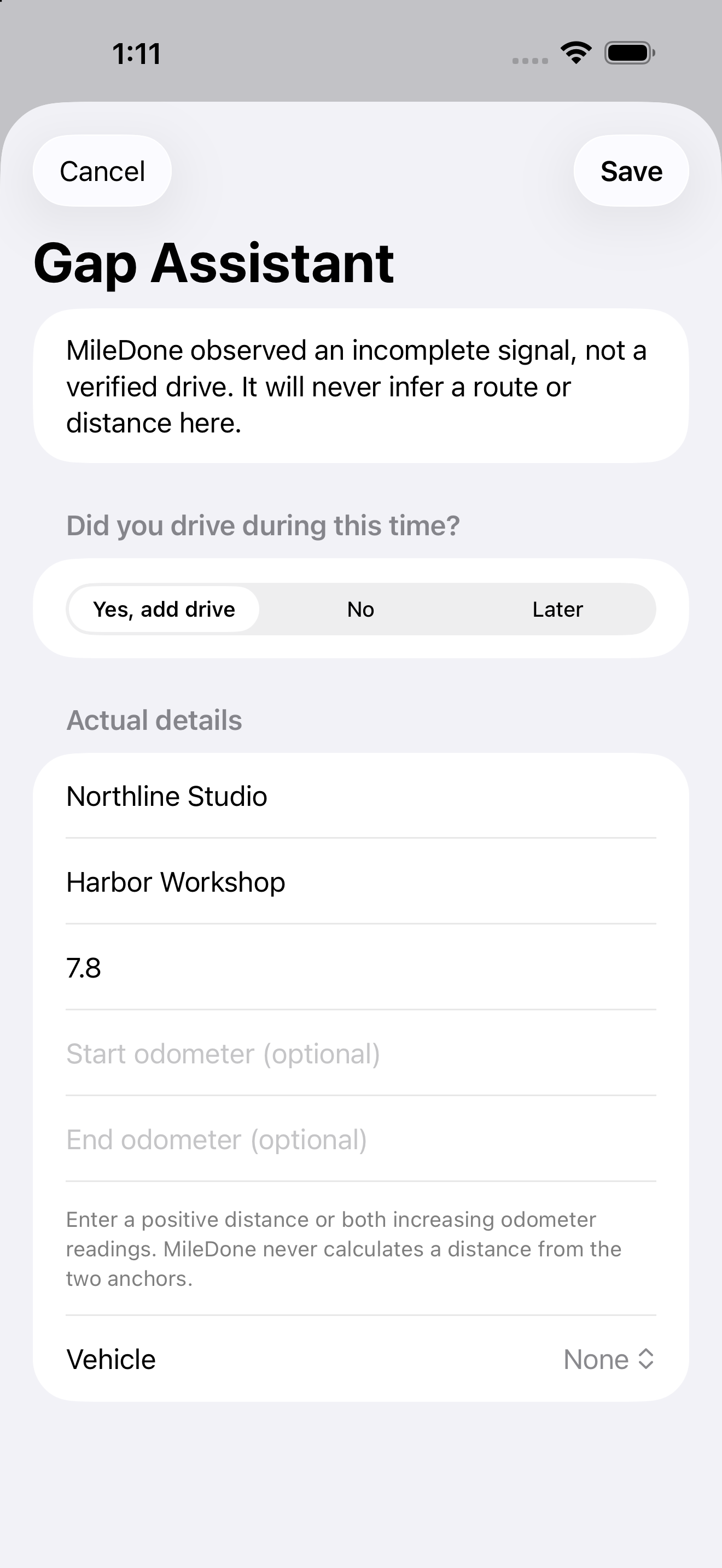
Gap Assistant · Pro
A missing signal never becomes an invented road route or extra miles. Gap Assistant helps you confirm whether you drove and add a distance or increasing odometer reading that you know.
Manual alternative
Enter a distance, origin, destination or odometer reading without location permission. Manual GPS Start / Stop needs foreground location permission, but declining automatic tracking does not lock the ledger, edits or reports.
Reports
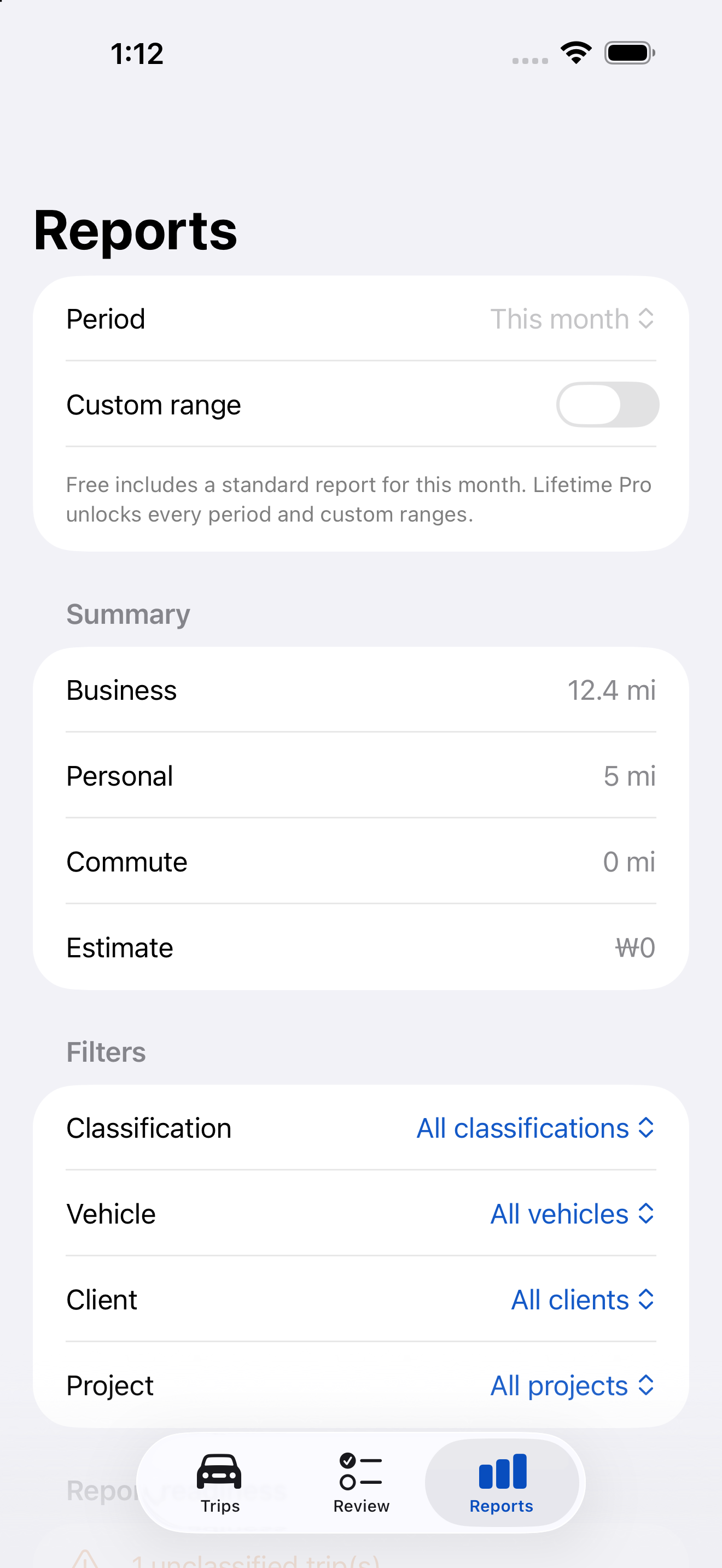
Separate business, personal and commute miles, then organize them by relevant vehicle, client or project filters. Free includes this month's standard PDF and raw CSV. Pro adds all periods, custom ranges, rate tables and advanced reporting.
One-time purchase
No subscription. No ads. Actual localized pricing and purchase availability come from each store when MileDone is publicly released.
Free
Lifetime Pro
Existing records remain readable, editable and deletable after the Free automatic-capture limit. Manual records, raw CSV and basic protected backup / restore remain available. iOS and Android purchases are separate and restore on the original platform.
FAQ
No. OS permissions, battery restrictions, force-quitting and GPS conditions can create missed or incomplete records. Check Tracking Health and Review for limits and uncertainty.
No. Purchases are separate because MileDone has no shared account or entitlement server. Restore a purchase on the original platform.
Existing records, edits, raw CSV and basic protected backup remain accessible. Manual GPS and manual distance records remain unlimited.
Privacy and support
MileDone has no account or HomiSoft trip server. You choose when to export or back up records. Maps, address lookup and purchase / restore can use Apple or Google network services.